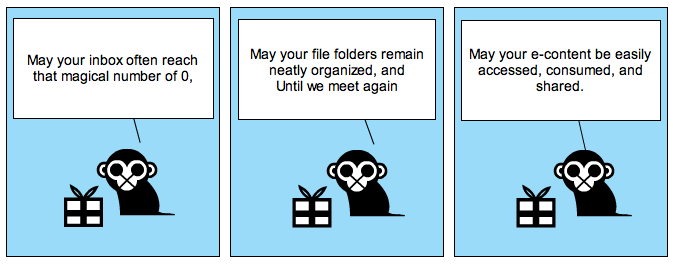
…and this is how a half hour of the life of an e-resources librarian can slip away

http://0-sq4ya5rf2q.search.serialssolutions.com.linus.lmu.edu/?&url_ver=Z39.88-2004&url_ctx_fmt=info:ofi/fmt:kev:mtx:ctx&rft_val_fmt=info:ofi/fmt:kev:mtx:journal&rft.atitle=Review%3A%20Analysis%20of%20the%20evolutionary%20convergence%20for%20high%20performance%20swimming%20in%20lamnid%20sharks%20and%20tunas&rft.auinit=D&rft.aulast=Bernal&rft.date=2001&rft.epage=726&rft.genre=article&rft.issn=1095-6433&rft.issue=2-3&rft.spage=695&rft.title=Comparative%20Biochemistry%20and%20Physiology%20Part%20A%20Molecular%20and%20Integrative%20Physiology&rft.volume=129A&rfr_id=info:sid/www.isinet.com:WoK:BIOABS&rft.au=Dickson%2C%20K&rft.au=Shadwick%2C%20R&rft.au=Graham%2C%20J

there’s an extra “a” in this url that is causing it to not resolve, thus leaving our patron with an error instead of full text.  the extra “a” is after the volume; there isn’t a volume 129A, only a volume 129.

:/

Posted in e-resource mgmt, library | 2 Comments

counting the troubleshooting of e-resources

we’ve lately felt as if we’re spending more time troubleshooting our library’s licensed e-resources.  saying “i feel like i’m spending a lot of time on this” doesn’t really cut it when it comes time to staff a task appropriately so we’re making an attempt to quantify our process.  knowing how much time we’re spending will tell us if we’ve got enough people tasked with the responsibility of responding to patron problem reports, since providing timely customer service is part of our mission.  enter: gimlet.  gimlet is usually used to count reference desk transactions so you can see how it can easily be adapted to count other kinds of service point interactions.  for example, the reference department gets emails requesting assistance for troubleshooting a research question, my department gets emails requesting assistance for troubleshooting e-resource access.  since our reference department already uses gimlet, we thought we’d give it a try too.

setting it up was super easy.  there are five categories built in to the system, and you can define the variables that fall under those headings.  the five categories are: duration; question type; asked by; format; location.  under the heading of duration we added the variables: 1 interaction, same day; more than one interaction, same day; 1 interaction, next day; more than one interaction, next day; more than two days.  tracking how long it takes to resolve a problem, and how many interactions with the patron it takes to get the information we need, will help us to understand the complexity of the problems we’re troubleshooting.  often we can get what we need from the patron with one interaction and get the problem resolved in one day, but sometimes it can drag on for weeks.  being able to count how often we can quickly respond and how often the problems lag will be instrumental for not only identifying our own staffing needs but can also point to how we evaluate timely vendor responses.  if we’re waiting on a vendor to fix something and they consistently take more than two days, then we may choose not to work with that vendor in the future.

here are the other categories and the variables we’ve entered.  question type: user interface problem; patron education; broken URL; expired subscription; incorrect coverage listed.  asked by: faculty; student; librarian; staff; alumni; law school; visitor; other.  format: email; phone; walk-in; referral; roving ref; text chat.  location: on campus; off campus.

we’ll be adding tags for the names of resources that are reported as problematic so we can get an idea of how many times an ebsco database goes wonky, for example.

we’ll be experimenting using the READ scale (shown as Difficulty in the screen shot) to help us assess the complexity of the questions we’re asked.  stay tuned for more on that later.

you can see from the screen shot that our database is a blank slate, ready to have questions asked and responded.  i’ll report back later to let you know how it’s going!  in the meantime, if you use gimlet to track the troubleshooting of e-resources i’d love to hear from you.

Gimlet

Posted in e-resource mgmt, library | 5 Comments

Cycling Through: Paths Libraries Take to Marketing Electronic Resources

The slides from my presentation at the Library Assessment Conference, Baltimore MD, 27 October 2010.

Direct link: http://www.slideshare.net/orgmonkey/cycling-through-paths-libraries-take-to-marketing-electronic-resources

Posted in e-resource mgmt, library, management | Comments Off on Cycling Through: Paths Libraries Take to Marketing Electronic Resources

resonate

Research is not a process that is the responsibility of others; research is a way of knowing, a way of making better practical decisions that is the responsibility of each of us.

Swisher, R. (1986). Focus on research. Top of the News, 42, 175 – 177

Posted in articles i'm reading | Comments Off on resonate

a place to put your (perpetual access) stuff

i can’t write this blog post without a nod to george carlin, whose famous bit about “stuff” comes to mind as i’m thinking about a place to put our library’s “stuff.”  “stuff,” in this case, is our perpetual access holdings data for e-journals.

here’s our thinking so far on this topic.  getting the information about which electronic journal volumes we own forever was a difficult process, but an important one.  now we have an inventory of what we own, but the inventory is on an excel spreadsheet.  looking up an e-journal title in our catalog and then needing to refer to an external spreadsheet is a drag, and we think it would be preferable to store this information in our catalog with the rest of our inventoried collection.  where in the catalog to store the information, though?  we considered putting it an 8XX field of the bibliographic record but were swayed from that since those aren’t protected fields and can _so easily_ be overlaid.  we then considered putting the data in MFHD, but that format doesn’t give us the flexibility to call out that certain volumes may be available perpetually from one provider, whereas other volumes are available through a different provider.  we’re now considering creating item records for this data, so that we can enter the volumes/years available, as well as the provider for that perpetual access.  we’ll attach as many item records as necessary to a title so that the perpetual access holdings data is completely described.

what do you think about this?  where are you storing your perpetual access holdings “stuff”?

carlin on youtube: http://www.youtube.com/watch?v=MvgN5gCuLac

Posted in e-resource mgmt, library | 1 Comment

taking an inventory of perpetual access holdings

that title made you flinch, didn’t it?  it should.  if you manage electronic resources for your library, go make a list of titles and holdings of all the e-journals to which you have perpetual access RIGHT NOW.  i’m not kidding.  here’s why it’s critical that you do this: most of your e-journal publishers aren’t keeping track.  play the DRAMA BUTTON before you read on.

we recently proposed a print journal withdrawal project at my library, which would allow us to withdraw print volumes from the collection if we have the same volumes in electronic format in perpetuity.  “in perpetuity” means that we’ve actually purchased the content and own it forever, instead of subscribing to the content and access it only while the subscription is current.  the obvious first step in this project is to see which titles we have in print that we also own in electronic format in perpetuity.  we have a clean inventory of the print titles because they’re what display in our catalog, they have order records to show payment, and have corroborating entries in our subscription vendor’s database.  we do not have a clean inventory of the electronic journals to which we have perpetual access.  here’s why.

we generally purchase electronic content as part of a consortium, and enter multi-year deals for the best pricing.  the majority of those multi-year deals state that whatever is published during the term of the license is ours to keep forever (“in perpetuity”).  the rub is that nobody has really been keeping track of what titles and holdings were part of the package when we started the deal, or which titles have left/entered during the term of the deal.  our consortium’s not doing it because many of the title lists are customized per university; they can’t possibly keep track of 30ish title lists for each year, for each package that we enter.  the stunning part is that the publishers aren’t really keeping track either.  of the ten publishers from which i’ve requested title lists for each year of our multi-year deal, only three have been able to readily hand over the lists.  this is worrying.

over the past month i’ve been requesting title lists from the publishers and then using those lists to see if they match what i think we own.  i’ve only worked here for two years, so for multi-year deals that have run longer i’m at a loss to remember how the deal started and which were the titles associated with the package.  the title lists we have kept on a shared drive are like gold, because they’re at least some record of past purchases.

the moral of the story is this: as you enter a multi-year deal for which there is perpetual access for the content, keep a list – somewhere, anywhere – of the titles and holdings for each year of the deal.  your consortium is not keeping this information for you.  the majority of your publishers aren’t keeping this information for you.

this post begs the question: if publishers aren’t keeping track of what i own in perpetuity, how can i trust them to provide access to that content down the road?  want the drama button again?  i think so.

Posted in e-resource mgmt, library | 1 Comment