philadelphia flickr

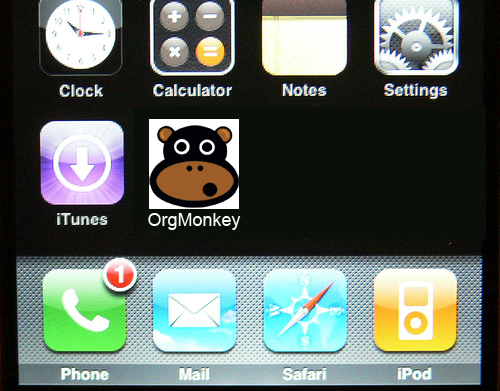
i uploaded photos from my iphone to the online photo service, flickr, last week for the first time, during a trip to philadelphia. it was surprisingly easy! i’m posting my favorite one here, but you may check out some others at http://www.flickr.com/photos/orgmonkey.

Posted in images | Comments Off on philadelphia flickr

science debate in oregon?

a new opportunity for a presidential debate on science and america’s future has been proposed, during the oregon mail-in primary. it’s important to learn what the candidates plan to do to support and promote the work of our nation’s scientists, and an open forum on the topics of science/technology, the environment, and health/medicine is an appropriate venue.

here’s a snippet of the latest invitation to such a forum, sent to the candidates by sciencedebate:

This is a serious policy discussion about the candidates’ vision for solving many of America’s most serious challenges, the majority of which revolve around issues of science and technology, and an opportunity for candidates to focus on big ideas and express their vision for how our country will remain innovative and competitive in the future.

the list of supporters for this kind of forum is impressive, and continues to grow. consider adding your name!

Posted in Uncategorized | 1 Comment

DePauw Libraries: Visual Resource Center

depauw visual resource librarians go head to head with google image search by using artstor and win in this video:

want more? : the librarian, spring break

Posted in art, images, library | Comments Off on DePauw Libraries: Visual Resource Center

typo hunt across america

file under, “i wish i’d thought of this.”

thanks, melissa!

Posted in the grammar doctor checks in | Comments Off on typo hunt across america

I heart Google Docs

Gosh, I use Google Docs a lot these days.  I’m sharing several spreadsheets with medical students and library school interns that are working on a metadata project with me, I recently worked on an outline of a presentation with a colleague, and I just yesterday added a slide to a student’s presentation file.

Google Docs totally fits my writing style.  Here’s how writing an article usually goes for me (spoiler alert!): I’ll start an article by coming up with a title and some sort of bulleted outline, and then I’m usually spent for the day.  It takes brain power to conceive an article!  But then the next day I’ll add a paragraph, or add to the outline, or put in a quote I know I want to use somewhere in the article.  Then maybe later that night, when I’m at home, I’ll pop open the document to see what I’ve got written and think about what area I want to attack next.  Definitely an iterative process, and with Google Docs I don’t have to worry if I saved the latest draft to my thumb drive, or if I’ve remembered to email myself the document before I left work.

I know that Docs doesn’t do everything, and I’ll leave my final formatting to a word processing software program so that I can insert my RefWorks citations neatly, but for most of the writing I do Google Docs is where it’s at.  Also, just this week I discovered that one can insert ‘gadgets‘ into spreadsheets, which look very nice.

Posted in social networking, writing | Comments Off on I heart Google Docs